
Article Categories
- All Categories
-
 Data Structure
-
 Networking
-
 RDBMS
RDBMS
-
 Operating System
-
 Java
Java
-
 MS Excel
-
 iOS
iOS
-
 HTML
HTML
-
 CSS
CSS
-
 Android
-
 Python
-
 C Programming
-
 C++
C++
-
 C#
C#
-
 MongoDB
-
 MySQL
MySQL
-
 Javascript
-
 PHP
PHP
-
 Economics & Finance
How to join tables in SAP system
If you want to check the relation between different tables, you need to have a minimum read-only access to SAP system. Table joins in SAP allow you to combine data from multiple related tables based on common fields.
Dictionary Structure Reference
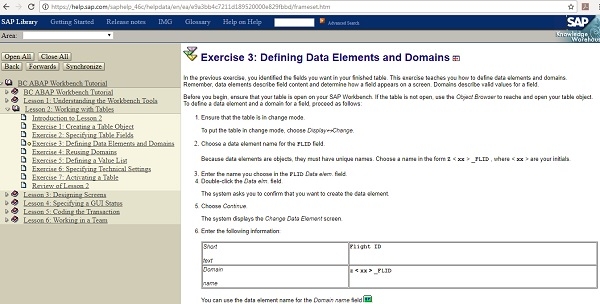
Below is the link to refer information about dictionary structure ?
https://help.sap.com/saphelp_46c/helpdata/en/ea/e9a3bb4c7211d189520000e829fbbd/frameset.htm
Common Table Join Methods in SAP
There are several ways to join tables in SAP system ?
Using Transaction SE16 (Data Browser)
You can view table relationships and data using SE16 transaction code. This allows you to browse table contents and understand the structure before creating joins.
Using ABAP Code for Table Joins
In ABAP programming, you can join tables using SELECT statements with JOIN clauses ?
SELECT a~field1, b~field2
  FROM table1 AS a
  INNER JOIN table2 AS b
  ON a~key_field = b~key_field
  WHERE a~condition = 'VALUE'.
Using Logical Database
SAP provides logical databases that contain predefined table relationships. These can be used to access related data without manually defining joins.
Best Practices
When joining tables in SAP, ensure you understand the foreign key relationships between tables. Use appropriate JOIN types (INNER, LEFT OUTER, RIGHT OUTER) based on your data requirements. Always check table documentation in SE11 (ABAP Dictionary) to understand field relationships before creating joins.
Conclusion
Table joins in SAP enable you to retrieve related data from multiple tables efficiently. Understanding table relationships and using appropriate join methods is essential for effective SAP data analysis and reporting.

1K+ Views
