
Article Categories
- All Categories
-
 Data Structure
-
 Networking
-
 RDBMS
RDBMS
-
 Operating System
-
 Java
Java
-
 MS Excel
-
 iOS
iOS
-
 HTML
HTML
-
 CSS
CSS
-
 Android
-
 Python
-
 C Programming
-
 C++
C++
-
 C#
C#
-
 MongoDB
-
 MySQL
MySQL
-
 Javascript
-
 PHP
PHP
-
 Economics & Finance
Selected Reading
Underline Text in Tkinter Label widget
Tkinter label widgets can be styled using the predefined attributes and functions in the library. Labels are useful in place of adding text and displaying images in the application. Sometimes, we need to style the font property of Label Text such as fontfamily, font-style (Bold, strike, underline, etc.), font-size, and many more. If we want to make the label text underlined, then we can use the underline property in the font attribute.
Example
#Import the required library
from tkinter import*
#Create an instance of tkinter frame
win= Tk()
#Define geometry of the window
win.geometry("750x250")
#Create a Label widget
label= Label(win, text= "Hey, How're you?", font= ('Helvetica 15 underline'))
label.pack()
win.mainloop()
Output
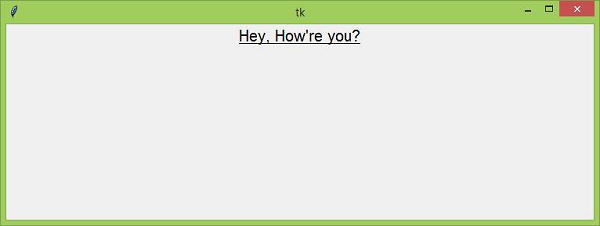
Running the example code will make the text label underlined. In fact, we can remove the underline property just by removing it from the font values.

Updated on: 2021-04-16T07:21:09+05:30
6K+ Views

Advertisements