
Article Categories
- All Categories
-
 Data Structure
-
 Networking
-
 RDBMS
RDBMS
-
 Operating System
-
 Java
Java
-
 MS Excel
-
 iOS
iOS
-
 HTML
HTML
-
 CSS
CSS
-
 Android
-
 Python
-
 C Programming
-
 C++
C++
-
 C#
C#
-
 MongoDB
-
 MySQL
MySQL
-
 Javascript
-
 PHP
PHP
-
 Economics & Finance
Selected Reading
sendKeys() not working in Selenium Webdriver
If we encounter issues while working with the sendKeys method, then we can use the JavaScript Executor to input text within an edit box. Selenium can run JavaScript commands with the help of the executeScript method.
JavaScript command to be used is passed as a parameter to this method. To input text we shall first identify the edit field with the JavaScript method document.getElementsByClassName. Then apply the value method on it.
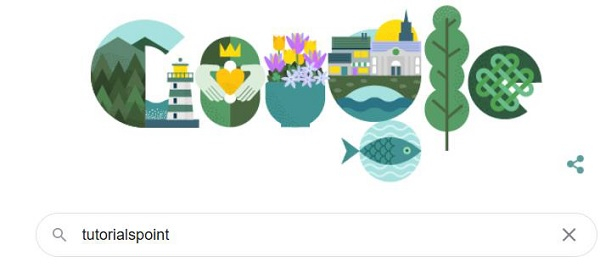
Let us try to enter text tutorialspoint to the below Google search box −
Syntax
JavascriptExecutor j = (JavascriptExecutor) driver;
j.executeScript("document.getElementsByName('qwe')[0].value= 'tutorialspoint'");
Example
import org.openqa.selenium.By;
import org.openqa.selenium.WebDriver;
import org.openqa.selenium.WebElement;
import org.openqa.selenium.firefox.FirefoxDriver;
import java.util.concurrent.TimeUnit;
import org.openqa.selenium.JavascriptExecutor;
public class SendkysAlternate{
   public static void main(String[] args) {
      System.setProperty("webdriver.gecko.driver",
         "C:\Users\ghs6kor\Desktop\Java\geckodriver.exe");
      WebDriver driver = new FirefoxDriver();
      //implicit wait
      driver.manage().timeouts().implicitlyWait(5, TimeUnit.SECONDS);
      //URL launch
      driver.get("https://www.google.com/");
      //identify element
      WebElement m =driver.findElement(By.className("gLFyf"));
      //JavaScript Executor to enter text
      JavascriptExecutor j = (JavascriptExecutor) driver;
      j.executeScript("document.getElementsByName('q')[0].value= 'tutorialspoint'");
      String str = m.getAttribute("value");
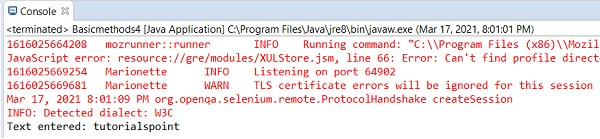
      System.out.println("Text entered: " + str);
      driver.close();
   }
}
Output

Updated on: 2021-04-06T11:26:50+05:30
6K+ Views

Advertisements