
Article Categories
- All Categories
-
 Data Structure
-
 Networking
-
 RDBMS
RDBMS
-
 Operating System
-
 Java
Java
-
 MS Excel
-
 iOS
iOS
-
 HTML
HTML
-
 CSS
CSS
-
 Android
-
 Python
-
 C Programming
-
 C++
C++
-
 C#
C#
-
 MongoDB
-
 MySQL
MySQL
-
 Javascript
-
 PHP
PHP
-
 Economics & Finance
Selected Reading
ReactJS – forceUpdate() Method
In this article, we are going to see how to execute a function by forcibly re-rendering a component.
The component in the React lifecycle only re-renders if the props passed to it or its state changes but to forcibly render the component, use the build it forceUpdate method. This method overrides the shouldComponentUpdate method defined in the component but will consider the shouldComponentUpdate method defined in the children component.
Syntax
component.forceUpdate(callback)
Example
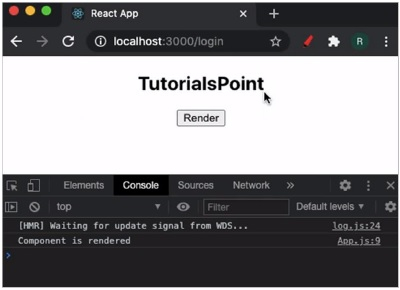
In this example, we will build a React application that gets forcibly re-rendered on a button click.
App.jsx
import React from 'react';

class App extends React.Component {

   update = () => {
      // calling the forceUpdate() method
      this.forceUpdate();
   };
   render() {
      console.log('Component is rendered');
      return (
         <>
            <h2>TutorialsPoint</h2>
            <button onClick={this.update}>Render</button>
         </>
      );
   }
}
export default App;
Output
This will produce the following result.

Updated on: 2021-03-18T11:52:30+05:30
910 Views

Advertisements