
Article Categories
- All Categories
-
 Data Structure
-
 Networking
-
 RDBMS
RDBMS
-
 Operating System
-
 Java
Java
-
 MS Excel
-
 iOS
iOS
-
 HTML
HTML
-
 CSS
CSS
-
 Android
-
 Python
-
 C Programming
-
 C++
C++
-
 C#
C#
-
 MongoDB
-
 MySQL
MySQL
-
 Javascript
-
 PHP
PHP
-
 Economics & Finance
Selected Reading
M_Expensive statement in SAP HANA
This can be checked using system view M_EXPENSIVE_STATEMENTS.
SELECT * FROM M_EXPENSIVE_STATEMENTS
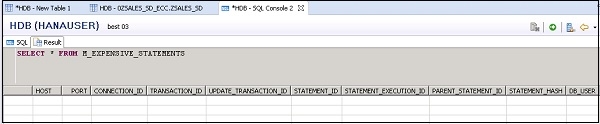
In SAP HANA, the M_EXPENSIVE_STATEMENTS view provides convenient access to the most expensive statements that were executed on the system. A statement is considered being expensive if its runtime exceeds a particular threshold. Please note that the expensive statements trace needs to be activated first in the Performance → Expensive Statements Trace screen in the SAP HANA studio. Click Configure the Trace Configuration dialog

Updated on: 2020-03-12T10:36:10+05:30
3K+ Views

Advertisements