
Article Categories
- All Categories
-
 Data Structure
-
 Networking
-
 RDBMS
RDBMS
-
 Operating System
-
 Java
Java
-
 MS Excel
-
 iOS
iOS
-
 HTML
HTML
-
 CSS
CSS
-
 Android
-
 Python
-
 C Programming
-
 C++
C++
-
 C#
C#
-
 MongoDB
-
 MySQL
MySQL
-
 Javascript
-
 PHP
PHP
-
 Economics & Finance
Java program to paste clipboard text to JTextArea
In this article, we will learn to paste clipboard text into a JTextArea using Java. We'll use the paste() method to create a simple program that lets users insert clipboard content directly into a text area. The program will display a basic GUI window with a JTextArea, where any text copied to the clipboard can be easily pasted.
Steps to paste clipboard text to JTextArea
Following are the steps to paste clipboard text to JTextArea ?
- First, import necessary classes from packages like javax.swing and java.awt to create the GUI components.
- Create a JFrame to hold the text area (JTextArea) and inside the frame, initialize the JTextArea where the clipboard text will be pasted.
- We will use the paste() method to insert any text from the clipboard into the text area.
- Set the layout of the frame and add the text area to the content pane.
- Display the frame by setting its size and visibility.
Java program to paste clipboard text to JTextArea
The following is an example of pasting clipboard text to JTextArea ?
package my;
import java.awt.Container;
import java.awt.GridLayout;
import javax.swing.*;
public class SwingDemo {
   SwingDemo() {
      JFrame frame = new JFrame("Demo");
      JTextArea textArea = new JTextArea("");
      Container c = frame.getContentPane();
      c.setLayout(new GridLayout(0, 2));
      c.add(textArea);
      // paste clipboard text
      textArea.paste();
      frame.add(textArea);
      frame.setSize(550,300);
      frame.setLayout(new GridLayout(2, 2));
      frame.setVisible(true);
   }
   public static void main(String args[]) {
      new SwingDemo ();
   }
}
Output
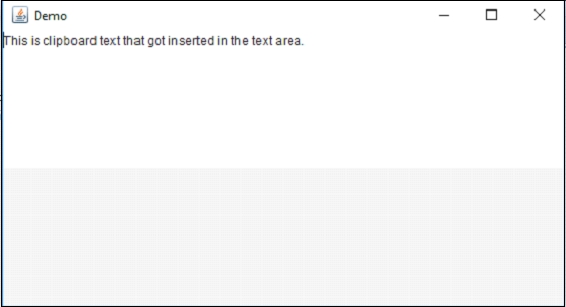
Code explanation
In the program, we first create a JFrame to act as the main window. Inside the window, we create a JTextArea where clipboard text will be pasted. By calling textArea.paste(), the clipboard content (if any) is inserted directly into the text area. The layout for the frame is set using a GridLayout to align components properly, and the text area is displayed within the window. Finally, the window's size and visibility are set to make it appear on the screen.

1K+ Views
