
Article Categories
- All Categories
-
 Data Structure
-
 Networking
-
 RDBMS
RDBMS
-
 Operating System
-
 Java
Java
-
 MS Excel
-
 iOS
iOS
-
 HTML
HTML
-
 CSS
CSS
-
 Android
-
 Python
-
 C Programming
-
 C++
C++
-
 C#
C#
-
 MongoDB
-
 MySQL
MySQL
-
 Javascript
-
 PHP
PHP
-
 Economics & Finance
Selected Reading
How to remove pagefile on the specific drive using PowerShell?
In this article, we have a pagefile set on E: (System managed) and we need to remove the pagefile from E: So in the below image once we remove it, the pagefile should be “No Paging File”.
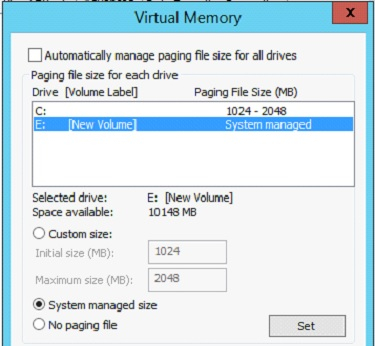
To do so using PowerShell, we need to filter the pagefile on a specific drive and need to run the below code.
$pagefileset = Gwmi win32_pagefilesetting | where{$_.caption -like 'E:*'}
$pagefileset.Delete()
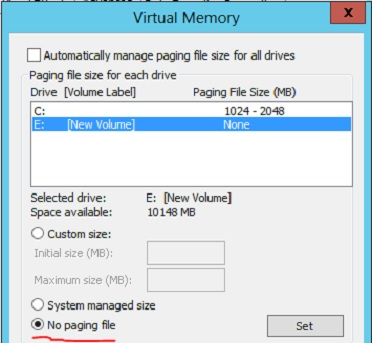
You may want to reboot the server after removing pagefile.
To change the above settings on the remote computer, use -ComputerName parameter in the GetWMIObject class.

Updated on: 2020-10-05T11:22:57+05:30
4K+ Views

Advertisements