
Article Categories
- All Categories
-
 Data Structure
-
 Networking
-
 RDBMS
RDBMS
-
 Operating System
-
 Java
Java
-
 MS Excel
-
 iOS
iOS
-
 HTML
HTML
-
 CSS
CSS
-
 Android
-
 Python
-
 C Programming
-
 C++
C++
-
 C#
C#
-
 MongoDB
-
 MySQL
MySQL
-
 Javascript
-
 PHP
PHP
-
 Economics & Finance
Selected Reading
How to obtain the page title using Selenium webdriver?
We can obtain the page title using Selenium webdriver. The method getTitle() is used to obtain the present page title and then we can get the result in the console.
Syntax
t = driver.getTitle();
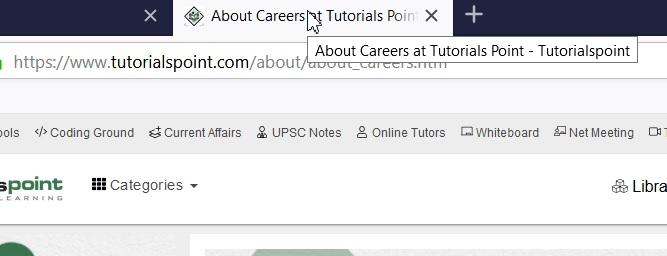
Let us find the title of the current page. We shall get About Careers at Tutorials Point – Tutorialspoint as output.
Example
Code Implementation.
import org.openqa.selenium.By;
import org.openqa.selenium.WebDriver;
import org.openqa.selenium.WebElement;
import org.openqa.selenium.chrome.ChromeDriver;
import java.util.concurrent.TimeUnit;
public class PageTitle{
   public static void main(String[] args) {
      System.setProperty("webdriver.chrome.driver",
      "C:\Users\ghs6kor\Desktop\Java\chromedriver.exe");

      //implicit wait
      driver.manage().timeouts().implicitlyWait(5, TimeUnit.SECONDS);
      WebDriver driver = new ChromeDriver();

      //application launch
      driver.get("https://www.tutorialspoint.com/about/about_careers.htm");

      // getTitle() to obtain page title
      System.out.println("Page title is : " + driver.getTitle());
      driver.close();
   }
}
Output


Updated on: 2021-11-22T11:34:51+05:30
11K+ Views

Advertisements