
Article Categories
- All Categories
-
 Data Structure
-
 Networking
-
 RDBMS
RDBMS
-
 Operating System
-
 Java
Java
-
 MS Excel
-
 iOS
iOS
-
 HTML
HTML
-
 CSS
CSS
-
 Android
-
 Python
-
 C Programming
-
 C++
C++
-
 C#
C#
-
 MongoDB
-
 MySQL
MySQL
-
 Javascript
-
 PHP
PHP
-
 Economics & Finance
Selected Reading
How to limit the values in a Number JSpinner Component with Java?
To limit the values in a number JSpinner component, use the SpinnerNumberModel that allows to set the min, max, step size and even the initial value −
value − current value of the model
min − first number in the sequence
max − last number in the sequence
stepSize − difference between elements of the sequence
Let us set the above values −
int min = 0;
int max = 10;
int step = 1;
int i = 1;
SpinnerModel value = new SpinnerNumberModel(i, min, max, step);
Now, we will set these values to our JSpinner −
JSpinner spinner = new JSpinner(value);
The following is an example to limit the values in a number JSpinner component −
Example
package my;
import java.awt.GridBagLayout;
import javax.swing.*;
public class SwingDemo {
   public static void main(String[] args) {
      JFrame frame = new JFrame("Spinner Demo");
      JPanel panel = new JPanel();
      JLabel label = new JLabel("Rank − ");
      panel.setLayout(new GridBagLayout());
      int min = 0;
      int max = 10;
      int step = 1;
      int i = 1;
      SpinnerModel value = new SpinnerNumberModel(i, min, max, step);
      JSpinner spinner = new JSpinner(value);
      spinner.setBounds(50, 80, 70, 100);
      panel.add(label);
      panel.add(spinner);
      frame.add(panel);
      frame.setSize(550,300);
      frame.setVisible(true);
   }
}
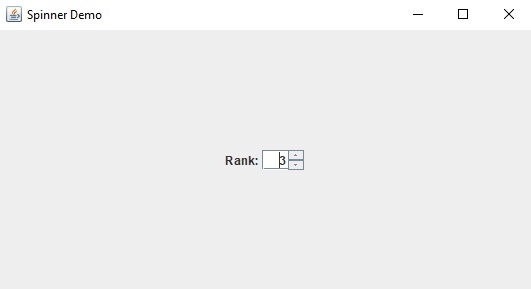
This will produce the following output −

Updated on: 2019-07-30T22:30:26+05:30
2K+ Views

Advertisements