
Article Categories
- All Categories
-
 Data Structure
-
 Networking
-
 RDBMS
RDBMS
-
 Operating System
-
 Java
Java
-
 MS Excel
-
 iOS
iOS
-
 HTML
HTML
-
 CSS
CSS
-
 Android
-
 Python
-
 C Programming
-
 C++
C++
-
 C#
C#
-
 MongoDB
-
 MySQL
MySQL
-
 Javascript
-
 PHP
PHP
-
 Economics & Finance
Selected Reading
How to implement the listeners using lambda expressions in Java?
When we are using a lambda expression for java listener, we do not have to explicitly implement the ActionListener interface. Instead, we can use the below syntax.
Syntax
button.addActionListener(e -> { // some statements });
An ActionListener interface defines only one method actionPerformed(). It is a functional interface which means that there's a place to use lambda expressions to replace the code.
Example
import java.awt.*;
import java.awt.event.*;
import javax.swing.*;

public class LambdaListenerTest extends JFrame {
   public static void main(String args[]) {
      new LambdaListenerTest();
   }
   private JButton button;
   public ClickMeLambdaTest() {
      setTitle("Lambda Expression Test");
      button = new JButton("Click Me!");
      button.addActionListener(a<strong>e</strong> -> button1Click());   // lambda expression for ActionListener

      getContentPane().add(button, BorderLayout.NORTH);
      setSize(450, 300);
      setLocationRelativeTo(null);
      setDefaultCloseOperation(JFrame.EXIT_ON_CLOSE);
      setVisible(true);
   }
   private int clickCount = 0;
   public void button1Click() {
      clickCount++;
      if(clickCount == 1)
         button.setText("Clicked!!!");
      else
         button.setText("Clicked " + clickCount + " times!!!");
   }
}
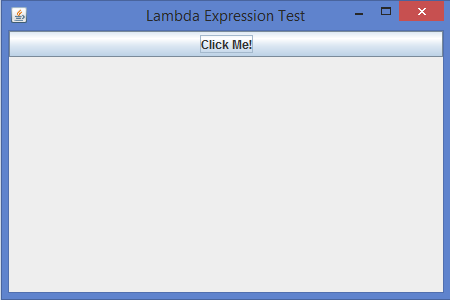
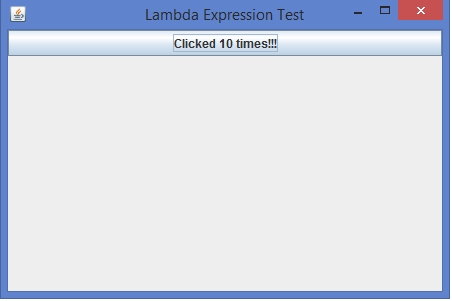
Output

Updated on: 2020-07-10T13:50:30+05:30
2K+ Views

Advertisements