
Article Categories
- All Categories
-
 Data Structure
-
 Networking
-
 RDBMS
RDBMS
-
 Operating System
-
 Java
Java
-
 MS Excel
-
 iOS
iOS
-
 HTML
HTML
-
 CSS
CSS
-
 Android
-
 Python
-
 C Programming
-
 C++
C++
-
 C#
C#
-
 MongoDB
-
 MySQL
MySQL
-
 Javascript
-
 PHP
PHP
-
 Economics & Finance
Selected Reading
How to handle windows file upload using Selenium WebDriver?
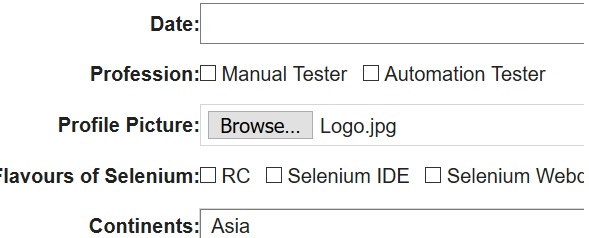
We can handle windows file upload with Selenium webdriver. This is achieved by the sendKeys method. We have to first identify the element which performs the file selection by mentioning the file path [to be uploaded].
This is only applied to an element having a type attribute set to file as value along with the element tagname as input. The below html code shows the element with type = file value set.

Example
Code Implementation
import org.openqa.selenium.By;
import org.openqa.selenium.WebDriver;
import org.openqa.selenium.WebElement;
import org.openqa.selenium.chrome.ChromeDriver;
import java.util.concurrent.TimeUnit;
public class WndsFileUpl{
   public static void main(String[] args) {
      System.setProperty("webdriver.chrome.driver", "C:\Users\ghs6kor\Desktop\Java\chromedriver.exe");
      WebDriver driver = new ChromeDriver();
      driver.get("https://www.tutorialspoint.com/selenium/selenium_automation_practice.htm");
      driver.manage().timeouts().implicitlyWait(10, TimeUnit.SECONDS);
      // identify element
      WebElement m=driver.findElement(By.xpath("//input[@type='file']"));
      // windows file upload with file path
      m.sendKeys("C:\Users\Pictures\Logo.jpg");
      driver.close();
   }
}
Output

Updated on: 2020-10-26T06:14:04+05:30
3K+ Views

Advertisements