
Article Categories
- All Categories
-
 Data Structure
-
 Networking
-
 RDBMS
RDBMS
-
 Operating System
-
 Java
Java
-
 MS Excel
-
 iOS
iOS
-
 HTML
HTML
-
 CSS
CSS
-
 Android
-
 Python
-
 C Programming
-
 C++
C++
-
 C#
C#
-
 MongoDB
-
 MySQL
MySQL
-
 Javascript
-
 PHP
PHP
-
 Economics & Finance
Selected Reading
How to change package name in android?
Here are the simple steps to change the package name in android .
Click on your pack name(in source tree). -> Right Click --> Refractor -> Rename as shown below -
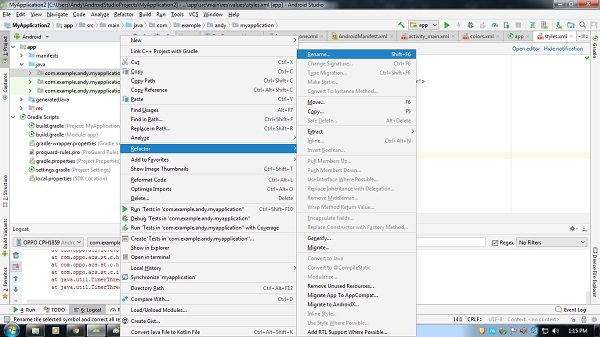
Click on rename, it will show pop up as shown below -
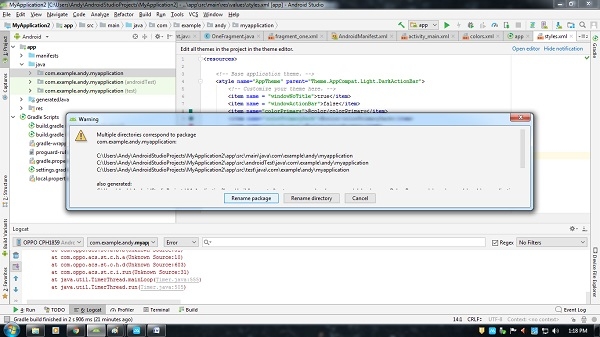
Click on Rename package, it will show new pop up as shown below -
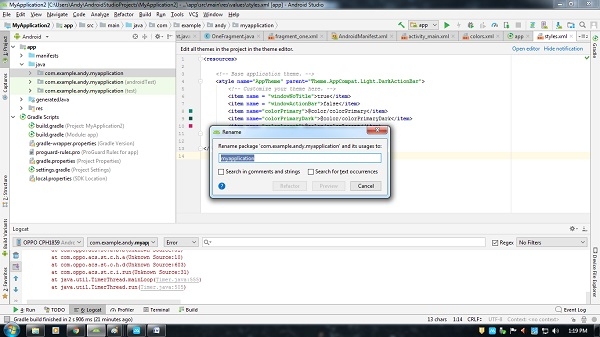
Now change the name as per requirement and click on refractor as shown below -
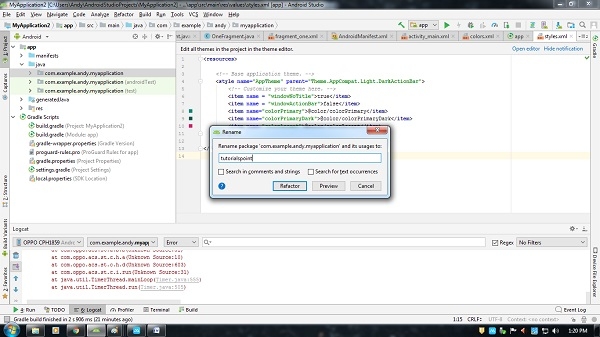
Now it will check all files and asks for refractor as shown below -
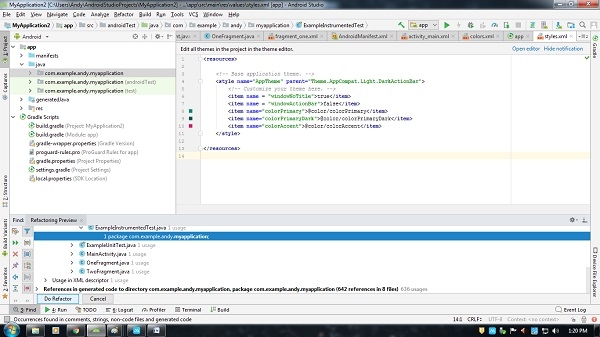
In the below of Android studio, there is "do Refractor button". click on it. Now open your build.gradle as shown below -
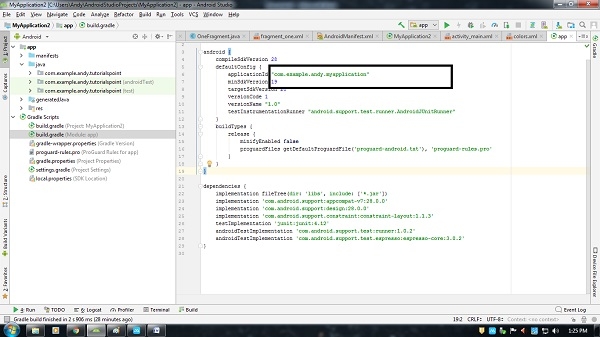
Still, it will show old package name, rename to new package name as shown below -
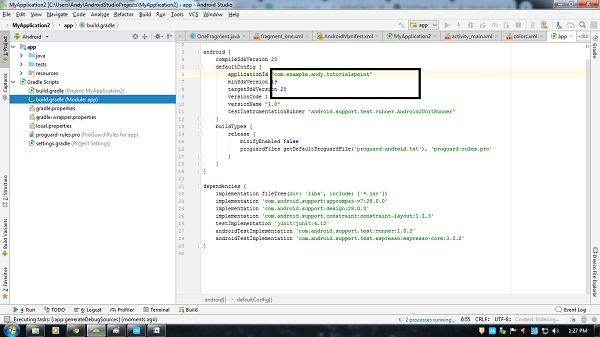
now clean your package and rebuild that's it.

Updated on: 2019-07-30T22:30:24+05:30
483 Views

Advertisements