
Article Categories
- All Categories
-
 Data Structure
-
 Networking
-
 RDBMS
RDBMS
-
 Operating System
-
 Java
Java
-
 MS Excel
-
 iOS
iOS
-
 HTML
HTML
-
 CSS
CSS
-
 Android
-
 Python
-
 C Programming
-
 C++
C++
-
 C#
C#
-
 MongoDB
-
 MySQL
MySQL
-
 Javascript
-
 PHP
PHP
-
 Economics & Finance
Selected Reading
How do I get a parent HTML Tag with Selenium WebDriver using Java?
We can get a parent HTML tag with Selenium webdriver. First of all we need to identify the child element with help of any of the locators like id, class, name, xpath or css. Then we have to identify the parent with the findElement(By.xpath()) method.
We can identify the parent from the child, by localizing it with the child and then passing (parent::*) as a parameter to the findElement(By.xpath()). Next to get the tagname of the parent, we have to use the getTagName() method.
Syntax
child.findElement(By.xpath("parent::*"));
Let us identify tagname of parent of child element li in below html code−

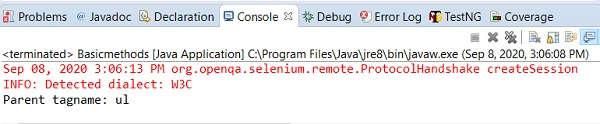
The tagname of the parent should be ul.
Example
import org.openqa.selenium.By;
import org.openqa.selenium.WebDriver;
import org.openqa.selenium.WebElement;
import org.openqa.selenium.chrome.ChromeDriver;
import java.util.concurrent.TimeUnit;

public class ParentTagname{
   public static void main(String[] args) {
System.setProperty("webdriver.chrome.driver","C:\Users\ghs6kor\Desktop\Java\chromedriver.exe");
      WebDriver driver = new ChromeDriver();
      driver.manage().timeouts().implicitlyWait(5, TimeUnit.SECONDS);
      driver.get("https://www.tutorialspoint.com/about/about_careers.htm");
      // identify element
      WebElement p=driver.findElement(By.xpath("//li[@class='heading']"));
      //identify parent from child element
      WebElement t= p.findElement(By.xpath("parent::*"));
      //getTagName() to get parent element tag
      System.out.println("Parent tagname: " + t.getTagName());
      driver.close();
   }
}
Output

Updated on: 2020-09-18T11:35:08+05:30
850 Views

Advertisements