
Article Categories
- All Categories
-
 Data Structure
-
 Networking
-
 RDBMS
RDBMS
-
 Operating System
-
 Java
Java
-
 MS Excel
-
 iOS
iOS
-
 HTML
HTML
-
 CSS
CSS
-
 Android
-
 Python
-
 C Programming
-
 C++
C++
-
 C#
C#
-
 MongoDB
-
 MySQL
MySQL
-
 Javascript
-
 PHP
PHP
-
 Economics & Finance
Explain VirtualizedList component usage in ReactNative?
The VirtualizedList component is React Native's most performance-optimized component for rendering large datasets. Unlike regular lists that render all items at once, VirtualizedList only renders visible items and recycles components as users scroll, dramatically improving memory usage and scroll performance.
The basic structure of VirtualizedList requires several mandatory props:
<VirtualizedList
    data={DATA}
    initialNumToRender={4}
    renderItem={renderItem}
    keyExtractor={keyExtractor}
    getItemCount={getItemCount}
    getItem={getItem}
/>
Essential VirtualizedList Properties
| Props | Description |
|---|---|
| renderItem | Function that renders each individual item from the data |
| data | The data source to be displayed |
| getItem | Function that retrieves an individual item from the data at a specific index |
| getItemCount | Function that returns the total count of items in the dataset |
| initialNumToRender | Number of items to render initially for better performance |
| keyExtractor | Function that extracts a unique key for each item |
Import Statement
First, import the required components:
import { SafeAreaView, View, VirtualizedList, StyleSheet, Text } from 'react-native';
Complete Example
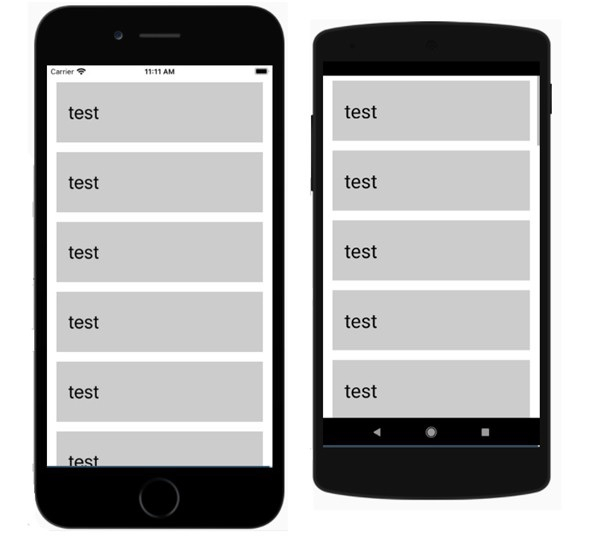
Here's a complete working example that demonstrates VirtualizedList with 100 items:
import React from 'react';
import { SafeAreaView, View, VirtualizedList, StyleSheet, Text } from 'react-native';

const DATA = [];

const getItem = (data, index) => {
    return {
        id: index,
        title: `Item ${index + 1}`
    }
}

const getItemCount = (data) => {
    return 100;
}

const Item = ({ title }) => {
    return (
        <View style={styles.item}>
            <Text style={styles.title}>{title}</Text>
        </View>
    );
}

const VirtualizedListExample = () => {
    return (
        <SafeAreaView style={styles.container}>
            <VirtualizedList
                data={DATA}
                initialNumToRender={4}
                renderItem={({ item }) => <Item title={item.title} />}
                keyExtractor={item => item.id.toString()}
                getItemCount={getItemCount}
                getItem={getItem}
            />
        </SafeAreaView>
    );
}

const styles = StyleSheet.create({
    container: {
        flex: 1,
    },
    item: {
        backgroundColor: '#f0f0f0',
        height: 80,
        justifyContent: 'center',
        marginVertical: 4,
        marginHorizontal: 16,
        padding: 20,
        borderRadius: 8,
    },
    title: {
        fontSize: 18,
        fontWeight: 'bold',
    },
});

export default VirtualizedListExample;
Key Implementation Details
The getItem function dynamically creates items based on the index, eliminating the need to store all 100 items in memory:
const getItem = (data, index) => ({
    id: index,
    title: `Item ${index + 1}`
});
The getItemCount tells VirtualizedList how many total items exist:
const getItemCount = (data) => 100;
The keyExtractor ensures each item has a unique identifier for optimal rendering:
keyExtractor={item => item.id.toString()}
Performance Benefits
VirtualizedList provides significant advantages over standard ScrollView with large datasets:
- Memory Efficiency: Only visible items are kept in memory
- Smooth Scrolling: Items are recycled as users scroll
- Lazy Loading: Items are created on-demand using getItem
- Configurable Rendering: Control initial render count with initialNumToRender
Output
Conclusion
VirtualizedList is the ideal choice for displaying large datasets in React Native applications. It provides excellent performance through virtualization and lazy loading, making it essential for apps handling hundreds or thousands of items efficiently.

3K+ Views
