
Article Categories
- All Categories
-
 Data Structure
-
 Networking
-
 RDBMS
RDBMS
-
 Operating System
-
 Java
Java
-
 MS Excel
-
 iOS
iOS
-
 HTML
HTML
-
 CSS
CSS
-
 Android
-
 Python
-
 C Programming
-
 C++
C++
-
 C#
C#
-
 MongoDB
-
 MySQL
MySQL
-
 Javascript
-
 PHP
PHP
-
 Economics & Finance
Selected Reading
Create a stored Procedures using MySQL Workbench?
Let us first create a Stored Procedure. Following is the query to create a stored procedure using MySQL Workbench.
use business;
DELIMITER //
DROP PROCEDURE IF EXISTS SP_GETMESSAGE;
CREATE PROCEDURE SP_GETMESSAGE()
BEGIN
DECLARE MESSAGE VARCHAR(100);
SET MESSAGE="HELLO";
SELECT CONCAT(MESSAGE,' ','MYSQL!!!!');
END
//
DELIMITER ;
Here is the screenshot of stored procedure in MySQL workbench −
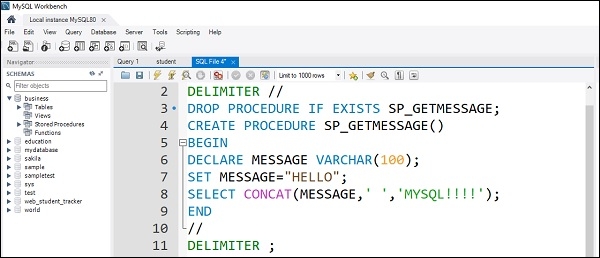
You need to execute the above stored procedure with the help of below symbol shown in the screenshot −

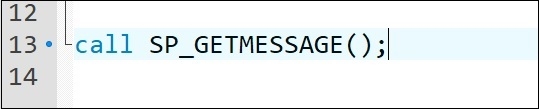
Now you can call the stored procedure with the help of CALL command.
call SP_GETMESSAGE();
The screenshot is as follows −
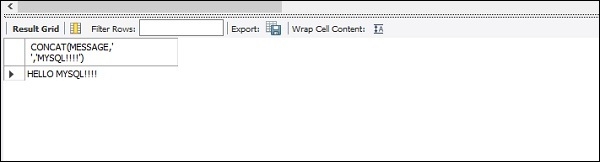
Now again you can execute the above statement with the help of symbol shown above. This will produce the following output −

Updated on: 2019-07-30T22:30:26+05:30
3K+ Views

Advertisements