
Article Categories
- All Categories
-
 Data Structure
-
 Networking
-
 RDBMS
RDBMS
-
 Operating System
-
 Java
Java
-
 MS Excel
-
 iOS
iOS
-
 HTML
HTML
-
 CSS
CSS
-
 Android
-
 Python
-
 C Programming
-
 C++
C++
-
 C#
C#
-
 MongoDB
-
 MySQL
MySQL
-
 Javascript
-
 PHP
PHP
-
 Economics & Finance
Count the number of columns in a MySQL table with Java
In this article, we will learn how to count the number of columns in a MySQL table using JDBC. We will be using the ResultSetMetaData to get details of the table by using simple examples.
What is ResultSetMetaData?
The ResultSetMetaData is an interface that is present in the java.sql package. Using ResultSetMetaData, we can get information about the table, for example, what are the column names of each and every table, and how many columns are there?.
To create the object for ResultSet:
ResultSet rs=st.executeQuery("Select * from Student");
The executeQuery method writes the records, which are then stored in the ResultSet (rs).
To access the contents of the column name:
ResultSetMetaData rsmd=rs.getMetaData()
The information will be stored in rsmd.
For this, use ResultSetMetaData. Let us first create a table :
mysql> create table DemoTable
   -> (
   -> StudentId int NOT NULL AUTO_INCREMENT PRIMARY KEY,
   -> StudentFirstName varchar(20),
   -> StudentLastName varchar(20)
   -> );
Query OK, 0 rows affected (0.58 sec)
Example to Count Number of Columns in a MySQL Table
Below is an example of how to count the number of columns in a MySQL table using ResultSetMetaData:
import java.sql.Connection;
import java.sql.DriverManager;
import java.sql.PreparedStatement;
import java.sql.ResultSet;
import java.sql.Statement;
import com.mysql.jdbc.ResultSetMetaData;
public class ResultSetDemo {
   public static void main(String[] args) {
      Connection con = null;
      PreparedStatement ps = null;
      Statement st = null;
      ResultSet rs = null;
      try {
         con = DriverManager.getConnection("jdbc:mysql://localhost:3306/web?useSSL=false", "root", "123456");
         String query = "select StudentId,StudentFirstName,StudentLastName from DemoTable";
         st = con.createStatement();
         rs = st.executeQuery(query);
         ResultSetMetaData rsmd = (ResultSetMetaData) rs.getMetaData();
         int numberOfColumn = rsmd.getColumnCount();
         System.out.println(" Number Of Columns: " + numberOfColumn);
         System.out.println("All Details Of Columns:");
         for (int i = 1; i <= numberOfColumn; i++) {
            String columnName = rsmd.getColumnName(i);
            String dataTypeOfColumn = rsmd.getColumnTypeName(i);
            System.out.println(columnName + " has data type " + dataTypeOfColumn);
         }
      } catch (Exception e) {
         e.printStackTrace();
      }
   }
}
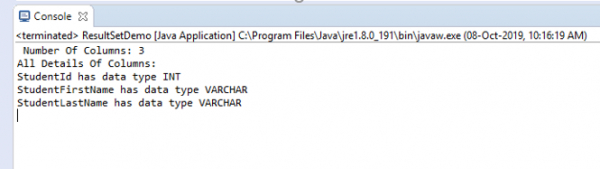
Output
Number Of Columns: 3
All Details Of Columns:
StudentId has data type INT
StudentFirstName has data type VARCHAR
StudentLastName has data type VARCHAR
The snapshot of the output is as follows:

599 Views
