
Article Categories
- All Categories
-
 Data Structure
-
 Networking
-
 RDBMS
RDBMS
-
 Operating System
-
 Java
Java
-
 MS Excel
-
 iOS
iOS
-
 HTML
HTML
-
 CSS
CSS
-
 Android
-
 Python
-
 C Programming
-
 C++
C++
-
 C#
C#
-
 MongoDB
-
 MySQL
MySQL
-
 Javascript
-
 PHP
PHP
-
 Economics & Finance
Selected Reading
Can we display a JTabPane with TextArea in one of the tabs with Java
Yes, we can display a JTabPane with TextArea in one of the tabs. For that, let us first create a JTabbedPane component −
JTabbedPane tabbedPane = new JTabbedPane();
Now, create a text area you want to set under one of the tabs −
JTextArea text = new JTextArea(100,100);
Now, set panels for the tabs. Under one of them, set the text area we created above as shown below −
panel2 = new JPanel();
panel2.add(text);
panel3 = new JPanel();
panel4 = new JPanel();
panel5 = new JPanel();
panel6 = new JPanel();
panel7 = new JPanel();
panel8 = new JPanel();
Now, one by one create different tabs and set the panels for each −
tabbedPane.addTab("Laptop", panel1);
tabbedPane.addTab("Desktop ", panel2);
tabbedPane.addTab("Notebook", panel3);
.
.
.
The following is an example to display TextArea in one of the tabs −
package my;
import javax.swing.*;
import java.awt.*;
public class SwingDemo {
   public static void main(String args[]) {
      JFrame frame = new JFrame("Devices");
      JTabbedPane tabbedPane = new JTabbedPane();
      JTextArea text = new JTextArea(100,100);
      JPanel panel1, panel2, panel3, panel4, panel5, panel6, panel7, panel8;
      panel1 = new JPanel();
      panel2 = new JPanel();
      panel2.add(text);
      panel3 = new JPanel();
      panel4 = new JPanel();
      panel5 = new JPanel();
      panel6 = new JPanel();
      panel7 = new JPanel();
      panel8 = new JPanel();
      tabbedPane.setBackground(Color.orange);
      tabbedPane.setForeground(Color.white);
      tabbedPane.addTab("Laptop", panel1);
      tabbedPane.addTab("Desktop ", panel2);
      tabbedPane.addTab("Notebook", panel3);
      tabbedPane.addTab("Echo ", panel4);
      tabbedPane.addTab("Tablet", panel5);
      tabbedPane.addTab("Alexa ", panel6);
      tabbedPane.addTab("Notebook", panel7);
      tabbedPane.addTab("iPad", panel8);
      frame.add(tabbedPane);
      frame.setDefaultCloseOperation(JFrame.EXIT_ON_CLOSE);
      frame.setSize(600,350);
      frame.setVisible(true);
   }
}
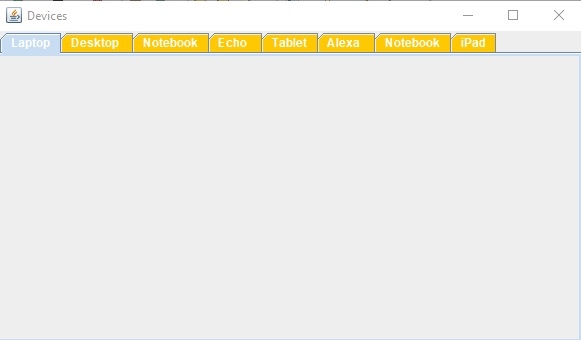
Output
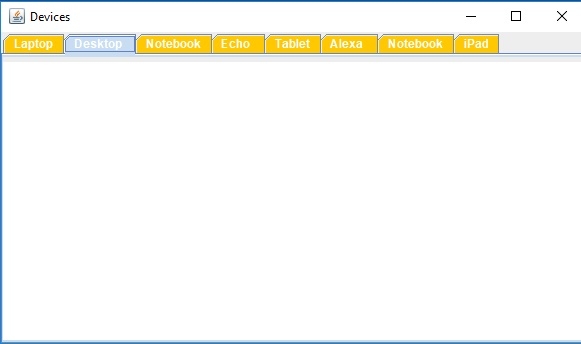
Now, since we have set a TextFileld in the 2nd tab, therefore on clicking the “Desktop” i.e. 2nd tab, the following would be visible −

Updated on: 2019-07-30T22:30:26+05:30
391 Views

Advertisements