
Article Categories
- All Categories
-
 Data Structure
-
 Networking
-
 RDBMS
RDBMS
-
 Operating System
-
 Java
Java
-
 MS Excel
-
 iOS
iOS
-
 HTML
HTML
-
 CSS
CSS
-
 Android
-
 Python
-
 C Programming
-
 C++
C++
-
 C#
C#
-
 MongoDB
-
 MySQL
MySQL
-
 Javascript
-
 PHP
PHP
-
 Economics & Finance
How to find a constant in a string in SAP BO Webi Report
In SAP BusinessObjects Web Intelligence (Webi), you can find constants or specific text patterns within strings using built-in functions. The two primary functions for this purpose are Match() and Pos().
Using the Match() Function
The Match() function allows you to search for patterns using wildcards. You can use MATCH([Dimension];"*def*") to find strings containing "def". The wildcard (*) matches any characters before and after the specified constant.
=Match([Product Name];"*def*")
Using the Pos() Function
The Pos() function returns the position of a specific character string within another string. If the string is not found, it returns 0.
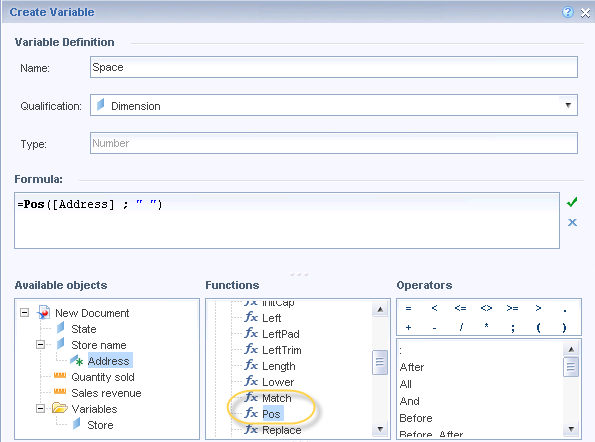
Pos() Function Examples
You can use the Pos() function as shown below ?
=Pos("def abc ghi";"def")
returns 1

=Pos("def abc ghi";"abc")
returns 5

=Pos("def abc ghi";"xyz")
returns 0
In these examples:
- The first example returns 1 because "def" starts at position 1
- The second example returns 5 because "abc" starts at position 5
- The third example returns 0 because "xyz" is not found in the string
Conclusion
Both Match() and Pos() functions are effective for finding constants in strings within SAP BO Webi reports. Use Match() for pattern matching with wildcards, and Pos() when you need the exact position of a substring.

3K+ Views
