
Article Categories
- All Categories
-
 Data Structure
-
 Networking
-
 RDBMS
RDBMS
-
 Operating System
-
 Java
Java
-
 MS Excel
-
 iOS
iOS
-
 HTML
HTML
-
 CSS
CSS
-
 Android
-
 Python
-
 C Programming
-
 C++
C++
-
 C#
C#
-
 MongoDB
-
 MySQL
MySQL
-
 Javascript
-
 PHP
PHP
-
 Economics & Finance
Basic Network Hardware
The basic computer hardware components that are needed to set up a network are as follows. Each device plays a specific role in enabling communication between computers and other devices on the network.
Network Cables
Network cables are the transmission media used to transfer data from one device to another. They form the physical backbone of any wired network. A commonly used network cable is the Category 5 (Cat5) cable with an RJ-45 connector, as shown in the image below −
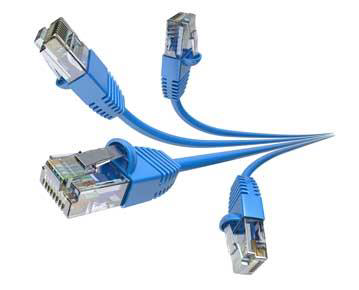
Other common cable types include Cat5e, Cat6, and fiber optic cables. Cat6 supports higher data transfer speeds and is preferred for modern networks.
Routers
A router is a connecting device that transfers data packets between different computer networks. Typically, they are used to connect a PC or an organization's LAN to a broadband internet connection. Routers contain RJ-45 ports so that computers and other devices can connect with them using network cables.
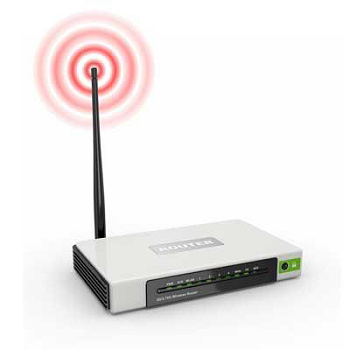
Routers use routing tables and protocols like OSPF or BGP to determine the best path for forwarding data packets to their destination.
Repeaters, Hubs, and Switches
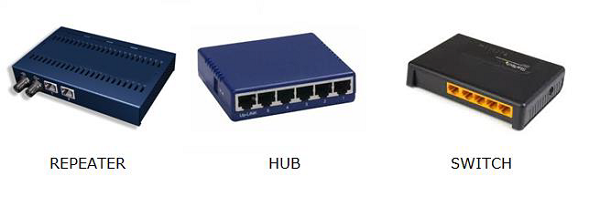
Repeaters, hubs, and switches connect network devices together so that they can function as a single network segment.
A repeater receives a signal and regenerates it before re-transmitting, so that data can travel longer distances without degradation.
A hub is a multiport repeater having several input/output ports. Any input received at one port is broadcast to every other port, which makes it less efficient.
A switch is smarter than a hub. It receives data from a port, uses packet switching to determine the destination device, and then forwards the data only to that specific destination port rather than broadcasting it to all ports.
Bridges
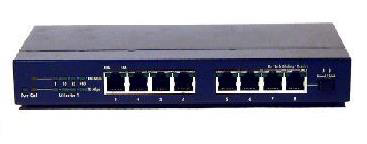
A bridge connects two separate Ethernet network segments. It forwards packets from the source network to the destination network by examining the MAC address of incoming frames. This reduces unnecessary traffic on each segment.
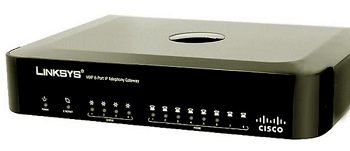
Gateways
A gateway connects entirely different networks that operate on different protocols. It serves as the entry and exit point of a network and controls access to other networks. For example, a gateway can connect a TCP/IP-based LAN to an older SNA mainframe network by translating between the two protocols.
Network Interface Cards
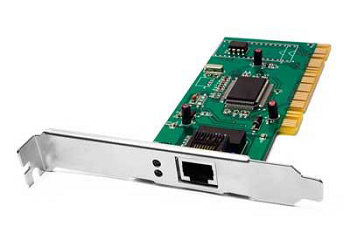
A Network Interface Card (NIC) is a hardware component installed in a computer to connect it to a network. It provides the physical interface between the computer and the network cable. Network cards are of two types −
-
Internal NIC − Built into the motherboard or inserted into a PCI/PCIe expansion slot inside the computer.
-
External NIC − Connected via a USB port, commonly used with laptops and devices that lack a built-in network port.
Comparison of Network Devices
| Device | OSI Layer | Key Function |
|---|---|---|
| Repeater | Layer 1 (Physical) | Regenerates and extends signals |
| Hub | Layer 1 (Physical) | Broadcasts data to all ports |
| Bridge | Layer 2 (Data Link) | Connects two network segments using MAC addresses |
| Switch | Layer 2 (Data Link) | Forwards data to specific destination port |
| Router | Layer 3 (Network) | Routes packets between different networks |
| Gateway | Layer 7 (Application) | Translates between different network protocols |
Conclusion
Setting up a network requires several hardware components working together. Cables and NICs provide physical connectivity, switches and hubs connect devices within a network, routers direct traffic between networks, and gateways enable communication across entirely different protocols. Understanding the role of each device is essential for designing and troubleshooting networks.

30K+ Views
