
Article Categories
- All Categories
-
 Data Structure
-
 Networking
-
 RDBMS
RDBMS
-
 Operating System
-
 Java
Java
-
 MS Excel
-
 iOS
iOS
-
 HTML
HTML
-
 CSS
CSS
-
 Android
-
 Python
-
 C Programming
-
 C++
C++
-
 C#
C#
-
 MongoDB
-
 MySQL
MySQL
-
 Javascript
-
 PHP
PHP
-
 Economics & Finance
Turning Help mode ON to add SAP ABAP Explanation Text
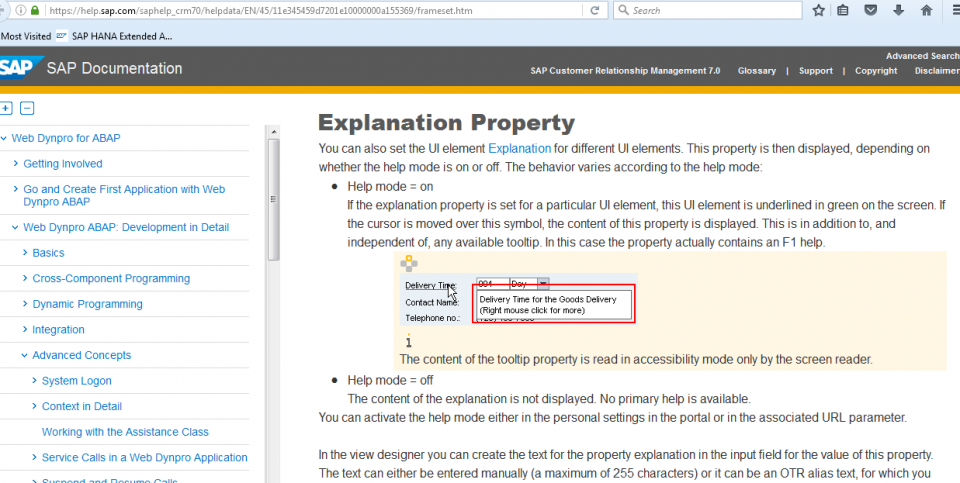
To enable Help mode in SAP ABAP for adding explanation text, you have several options available. Help mode allows you to add explanatory text to various elements in your SAP system, making it more user-friendly and informative.
Methods to Enable Help Mode
You can turn ON help mode through the following approaches ?
1. Personal Settings in Portal: Navigate to your personal settings within the SAP portal and enable help mode from the user preferences.
2. Associated Parameter: Set the help mode through associated parameters in your system configuration.
3. Global URL Parameter: To enable it globally, locate the application in the Portal Content. Find the URL Parameter section and add the following parameter ?
HELPMODE=ON
Implementation Example
When implementing the URL parameter method, you need to access the Portal Content and modify the application settings. The HELPMODE parameter when set to ON will activate the explanation text functionality across the application.
For detailed implementation steps and configuration options, refer to the official SAP documentation on Explanation Property.
Conclusion
Enabling help mode in SAP ABAP allows you to add valuable explanation text to enhance user experience and system documentation. The HELPMODE=ON parameter provides a simple yet effective way to activate this functionality globally across your applications.

223 Views
